Download Movies Two for Android
Stream and download HD movies and web series, plus live matches, all in one lightweight Android app.
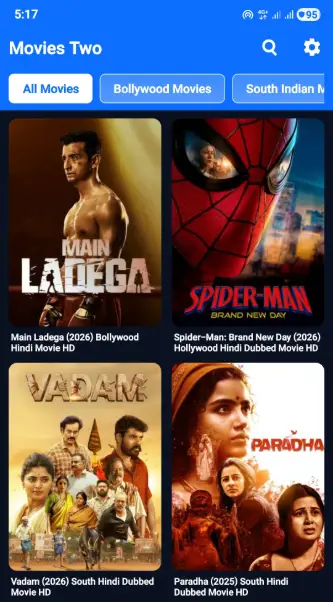
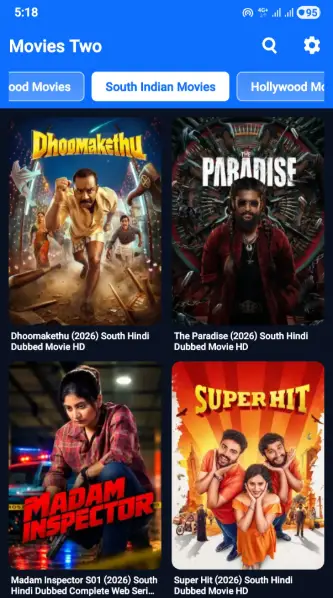
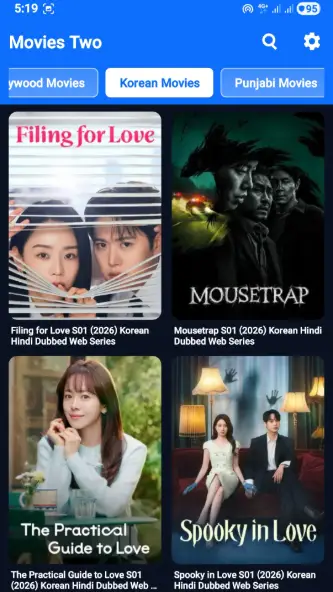
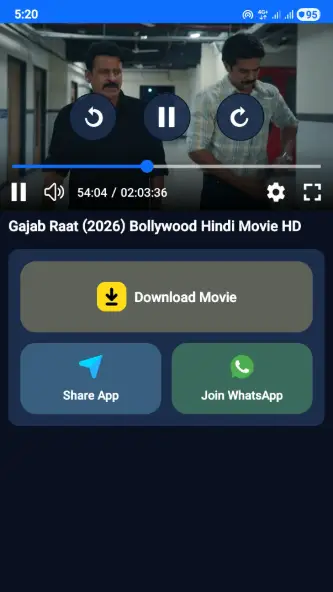
Everything you want to watch, in one app
Built for Android phones: quick to open, easy to search, and smooth to watch on mobile data or Wi-Fi.
HD movies & web series
Browse a growing library of movies and web series in HD, organised into easy categories.
Live matches
Watch live match streams right inside the app, alongside your movies and shows.
New-release alerts
Get a notification as soon as a new movie is added, so you never miss a release.
Quick search
Type a title and jump straight to it. No digging through cluttered menus.
Download & watch later
Save titles to your phone and watch them when you’re offline or on the move.
Fast & lightweight
A small, smooth app that opens quickly and runs well on everyday Android phones.
What is Movies Two App?
Movies Two is an Android entertainment app for discovering, streaming and downloading HD movies and web series. Browse by category, search for a specific title, or tune in to a live match.
Movies Two is distributed as an APK directly from this official website, so you always get the latest version straight from the source.
Open the app
Launch Movies Two once installation is complete.
Browse or search
Explore categories or tap search to find a particular title.
Press play
Open a title and choose to stream it now or download it for later.
Install in under a minute
Download the APK, allow your browser to install it when Android asks, and you’re ready to watch.
Android APKDownload Movies Two- 01
Download the APK
Tap any download button on this page. MoviesTwo_v6.1.apk will save to your phone’s Downloads.
- 02
Allow installation
Open the file from your notifications. If Android asks, tap Settings and turn on Allow from this source for your browser, then go back.
- 03
Install & open
Tap Install, wait a few seconds, then tap Open to start watching.
Frequently asked questions
What is Movies Two App?
Movies Two is an Android app for discovering, streaming and downloading HD movies and web series, with live match streams and alerts when new titles are added.
How do I install the Movies Two APK?
Download the APK from this page, open the downloaded file, allow installation from your browser if Android asks, and tap Install. See the step-by-step guide above.
Why does Android ask for permission to install?
Android shows this prompt for any app installed from a website instead of an app store. It’s a one-time setting for your browser. Always download Movies Two from this official page so you get the genuine app.
The download didn’t start or failed. What should I do?
Check that you have a stable connection and enough free storage, then tap the download button again. If your browser blocks the file, try opening this page in Chrome. You can find finished downloads in your phone’s Files or Downloads app.
How do I update Movies Two?
When an update is available, the app will direct you to this page. Download the latest APK and install it over the existing app. Android updates it in place.
Does Movies Two work on iPhone or PC?
No. Movies Two is built for Android phones and tablets. The APK file can’t be installed on iPhone, iPad, Windows or Mac.
Can I search for a specific movie?
Yes. Tap the search icon in the app and type the title you’re looking for.
Ready to start watching?
Get the latest Movies Two APK. It only takes a minute to install.